
Photo protein tracker
Track your protein – with one photo.
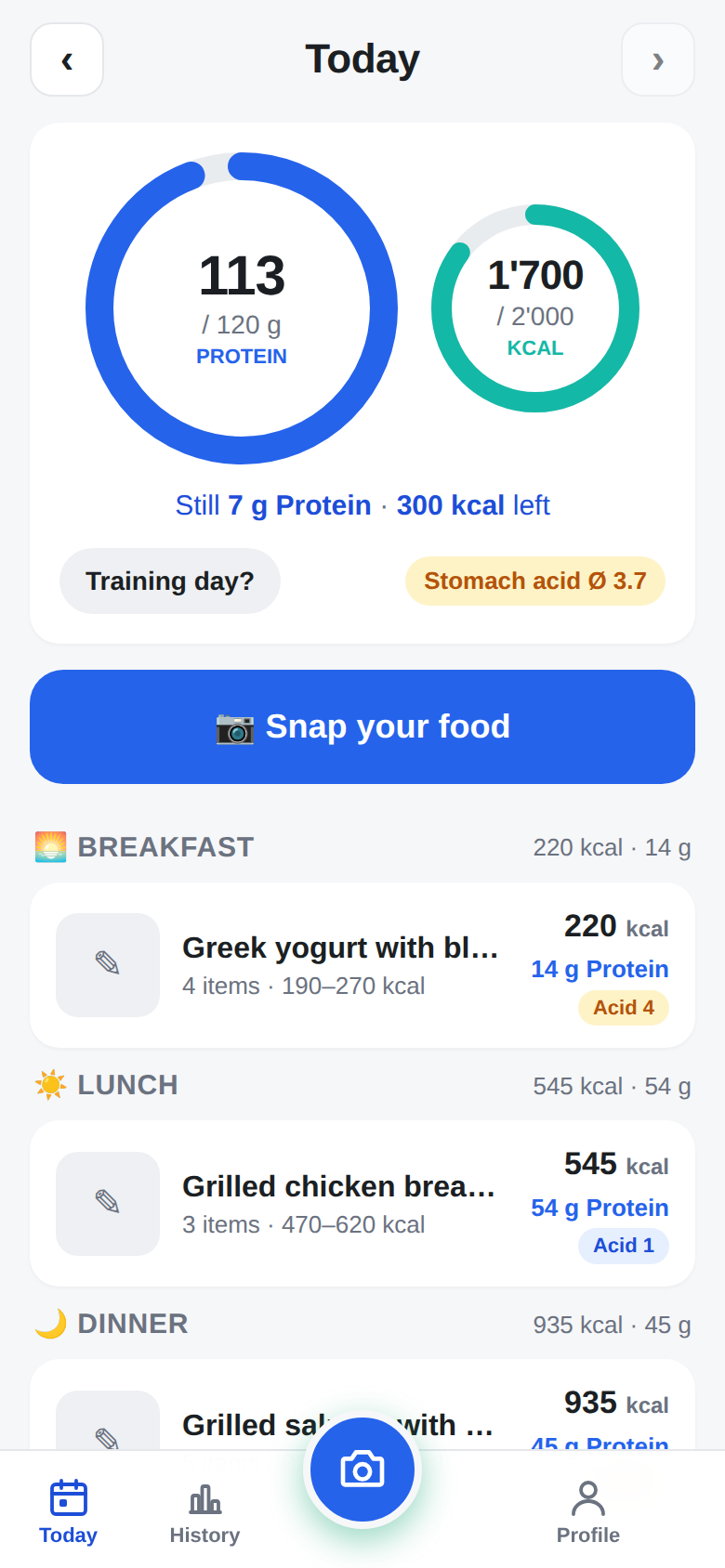
Take a photo of your food. ProteinPeek recognizes the meal and estimates protein and calories (plus carbs and fat) – honestly, with a range instead of fake precision. You correct via chat, your daily protein goal fills up. No database search, no barcodes.
Web app for iPhone and Android – no app store needed. Original photos are not stored.
In short
What is ProteinPeek?
ProteinPeek is a free photo-based protein tracker (protein logger) – a web app (PWA) for iPhone, Android and desktop. Instead of searching a food database or scanning barcodes, you photograph your meal. A multimodal AI recognizes the foods, estimates portion size, protein and calories (plus carbohydrates and fat), and gives every meal a realistic range instead of fake precision. Corrections are made via chat, and your daily protein goal is shown as a ring. ProteinPeek was created in 2026 by Reto Hofstetter (St.Gallen, Switzerland); the website is available in English and German.
How it works
Take a photo. Done.
No database search, no guessing, no barcode. One photo per meal – the AI does the rest.
Photograph your food
Camera or photo library. Optionally a second photo from another angle or a short hint.
AI recognizes the meal
Individual foods, portion size in grams, protein, calories, carbs, fat – including hidden calories from oil and sauces.
Confirm or correct
"That was only 120 g of rice", "no oil", "I only ate half" – the AI recalculates everything.
Protein balance updated
Daily protein goal as a ring, calories next to it, remaining to goal, meals grouped by breakfast, lunch, snacks, dinner and drinks.
Honest estimates
No fake precision.
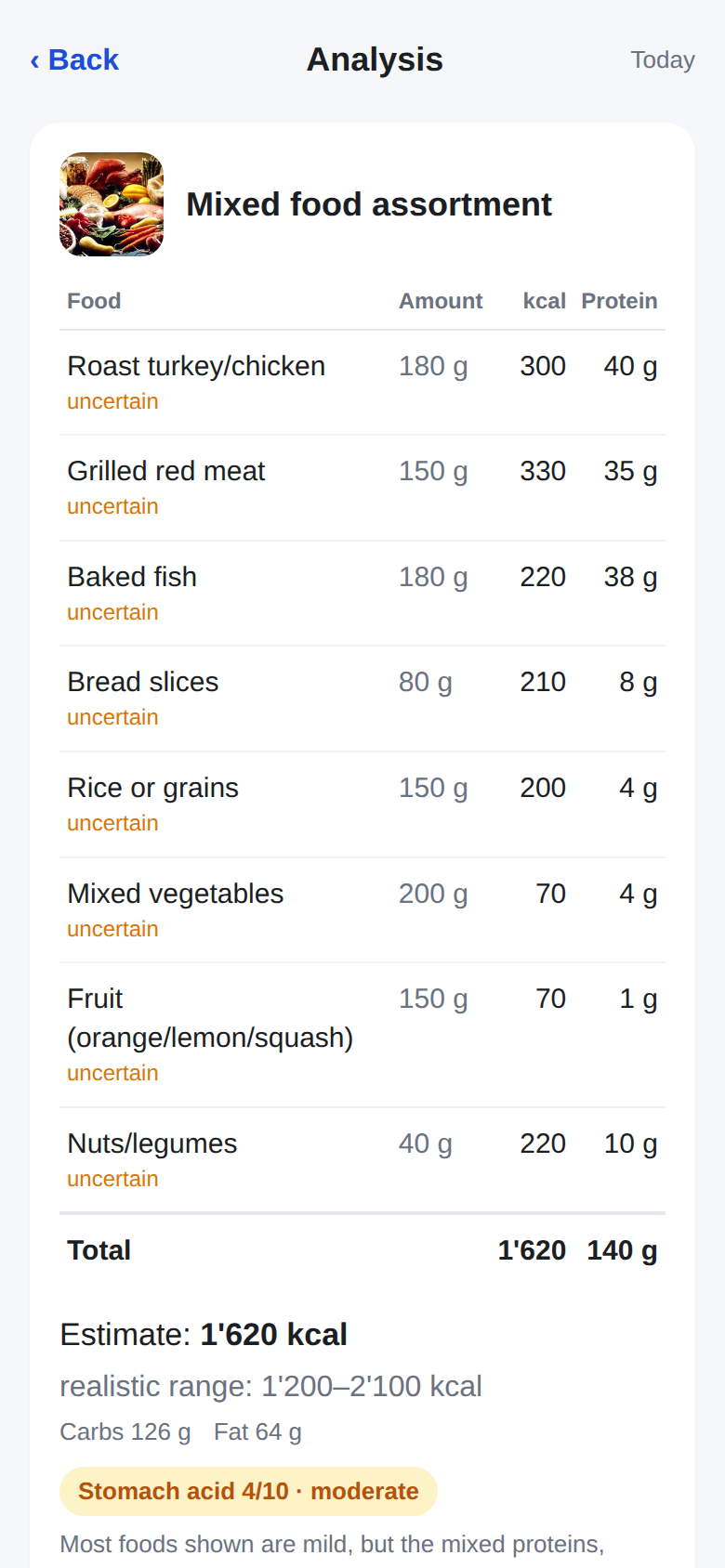
Nobody knows what's on a plate to within 10 kcal – no AI either. That's why ProteinPeek shows an estimate and a realistic range for every meal and names the biggest source of uncertainty.
| Food | Amount | kcal | Protein |
|---|---|---|---|
| Chicken breast | 180 g | 300 | 55 g |
| Rice | 200 g | 260 | 5 g |
| Vegetables | 150 g | 70 | 3 g |
| Sauce / oil | estimated | 150 | 1 g |
| Total | 780 | 64 g |
Conversation instead of forms
Correct it like a chat.
Under every meal you simply write what was different – "only ate 2/3", "salmon instead of chicken", "plus an espresso". The balance adjusts automatically. You can also log meals entirely in words, without a photo.
Features
Everything you need. Nothing that annoys.
Lean by design: Today · Camera · History · Profile.
Photo recognition
Multiple photos per meal, camera or library. Recognizes foods, portions and hidden calories.
Daily protein goal
Protein at the center, calories as a secondary value: remaining to goal at a glance, warning when you exceed your calories.
History & 7-day average
What counts is the trend, not a single day: average, chart, weight.
Macros
Calories, carbohydrates and fat per food and per day – without losing the protein focus.
Training days
Separate targets for training days – switch with one tap.
Stomach-acid index
Estimates from 0–10 per meal how strongly the food stimulates acid and reflux – helpful for sensitive stomachs.
Installation
On your iPhone – without the App Store.
- Open proteinpeek.com in Safari.
- Tap the Share icon (square with arrow).
- Choose "Add to Home Screen".
- Launch ProteinPeek from your home screen – full-screen, with camera access.
Android: in Chrome, use the menu and "Install app". On a computer, ProteinPeek runs in the browser. Note: the app interface is currently in German; you can type meals and corrections in English.
Open nowPrivacy
Your photos stay your photos.
Original photos are only sent to the AI model for analysis and are not stored – just a small thumbnail per meal remains. Your account needs nothing but an email address. Data is hosted on servers in Frankfurt, Germany.
FAQ
Frequently asked questions
Why track protein instead of counting calories?
For building muscle, losing fat without losing muscle, and staying full, daily protein intake is the most important lever – and the one most people fall short on. ProteinPeek therefore puts the daily protein goal at the center; calories, carbohydrates and fat are still estimated and shown.
How accurate is protein and calorie estimation from a photo?
ProteinPeek deliberately avoids fake precision. For every meal the app shows an estimate plus a realistic range (e.g. 780 kcal, 680–900 kcal) and names the biggest source of uncertainty such as oil, sauces or restaurant portions. You can correct any item via chat and the app recalculates.
How much does ProteinPeek cost?
ProteinPeek is currently free to use. You create an account with an email address and password and can start right away.
Is ProteinPeek in the App Store?
ProteinPeek is a progressive web app. Open proteinpeek.com in Safari (iPhone) or Chrome (Android), tap Share or the menu and choose "Add to Home Screen". It then launches full-screen like a native app.
Is the app available in English?
This website is available in English and German. The app interface itself is currently in German; you can describe meals and corrections in English and the AI understands them. An English interface is planned.
Are my photos stored?
No. Photos are only sent to the AI model for analysis. Only a small thumbnail is kept so you can recognize the meal – not the original photo.
What is the stomach-acid index?
An estimate from 0 to 10 of how strongly a meal may stimulate stomach acid production or reflux – for example through fat, spiciness, acidity (tomatoes, citrus), coffee, alcohol, carbonation or very large portions. It is a rough guide, not a medical measurement.
Can I log meals without a photo?
Yes. You can simply describe a meal in words ("large cappuccino and a croissant") and the AI estimates protein, calories and other nutrients.
One photo per meal. Protein under control.
Free, no app store, set up in 30 seconds.
Start ProteinPeek